

Published: April 30, 2026
With built-in AI, your website or web application can perform AI-powered tasks, without needing to deploy, manage, or self-host models. You might find it challenging to move from a demo to a production-ready feature. This document covers technical and UX considerations to help you avoid common pitfalls.
Prepare the model at a reasonable time
Applies to: all APIs, for example, Summarizer, Translator, and Writer.
Do: Initialize the session as soon as you've clearly established the user's intention to use the AI feature, for example, when a user navigates into a relevant AI tools surface, hovers over an AI workspace, or interacts with the feature's surrounding UI. Pre-warming the session allows the model to load into memory quietly in the background while the user is setting up their task, eliminating avoidable cold-start latency. Try to be one step ahead by starting the next most likely AI task as soon as you start rendering the current result, for example, if the feature is designed for iterative use.
Don't: Unless necessary, don't wait for the user to click "Generate" to initialize the session. This leads to a cold start delay, because the model must first load into memory and prepare its execution pipeline.
Set initial prompts during creation
Applies to: Prompt API.
Do: Provide system instructions during session initialization to improve the speed of the first prompt.
Don't: Start with an empty session and send system instructions as part of
the first prompt() call. This increases latency because it forces the model to
process those instructions at the last moment.
// ✅ DO: Create the session as early as possible (tip on warming up the model early) and use initialPrompts for system instructions in the create call
const session = await LanguageModel.create({
  initialPrompts: [
    { role: 'system', content: 'You are a helpful assistant specialized in code reviews.' }
  ]
});

// A few moments later, when the user triggers the AI feature
const review = await session.prompt(`Review the following code:\n\n${code}`);

// ❌ DON'T: Send instructions using prompt() after creation
// const slowerSession = await LanguageModel.create();
// await slowerSession.prompt(`You are a helpful assistant specialized in code reviews.\n\nReview the following code:\n\n${code}`); // Higher latency
Clone sessions for repetitive tasks
Applies to: Prompt API.
For the Prompt API, each session tracks the context of the conversation, taking all previous interactions into account. Because a clone inherits everything from its parent session, including initial prompts and all interaction history up to the point of cloning, structure your usage to inherit only what you need.
Do:
- Create a base session: To handle unrelated tasks efficiently, create a base session that contains only your system instructions and no previous conversational context.
- Clone the baseline: Use
clone()on that base session for new tasks to save the overhead of re-parsing system instructions. This lets you create parallel conversations or reset a task to its baseline.
Don't:
- Don't reuse the same session for unrelated tasks, and avoid cloning any session that already contains unnecessary interaction history. Both patterns can cause unrelated previous context to interfere with your current task.
- Don't repeatedly call
create()with identical system instructions. Use the cloning pattern instead to optimize performance.
// ✅ DO: Create a baseline session and clone it for each new task
const baseSession = await LanguageModel.create({
  initialPrompts: [{
    role: 'system',
    content: 'You are a technical editor...',
  }],
});

// Clone the base session once for the first task
const task1 = await baseSession.clone();
const response1 = await task1.prompt("Review this first draft...");
// ... Repeat the cloning pattern for subsequent independent tasks
// Each task starts fresh from the baseline system instructions

// ❌ DON'T:
// Bad performance pattern: repeated create() calls for identical tasks.
// This forces the model to re-parse instructions every time, increasing latency.
// const sessionA = await LanguageModel.create({ initialPrompts: [...] });
// await sessionA.prompt("Task 1...");
// const sessionB = await LanguageModel.create({ initialPrompts: [...] });
// await sessionB.prompt("Task 2...");
// Bad quality pattern: reusing the same session for unrelated tasks.
// const session = await LanguageModel.create();
// await session.prompt("Analyze this financial report...");
// Unrelated task in the same session:
// await session.prompt("Now write a children's story...");
Destroy unused sessions
Applies to: All APIs.
Do: Explicitly call destroy() on
sessions that you no longer need, to free up memory when a feature
is no longer in use. If you use a cloning pattern, keep the base session and
destroy the clones you no longer need.
Don't: Keep multiple large sessions active. Each session consumes memory,
which creates unnecessary resource usage and might become a problem. Sessions
will be naturally cleaned up by the garbage collector, but calling destroy()
frees up memory more quickly.
// ✅ DO: Use the clone and destroy it immediately after
const clone = await baseSession.clone();
const response = await clone.prompt("Quick task...");
// Free memory right away: destry the clone, keep the baseSession
clone.destroy();
Render streaming responses safely and efficiently
Applies to: All APIs with streaming support (Prompt, Summarizer, Writer, Rewriter, and Translator).
Do: Treat all LLM output as untrusted content. Sanitize the full combined output, not just chunks, because malicious code could be split across updates. Before rendering, use the Sanitizer API where supported. To avoid a decrease in performance, use a streaming Markdown parser like streaming-markdown.
Don't: Directly set innerHTML on every chunk update. This is slow,
especially with complex formatting like syntax highlighting, and vulnerable to
injection.
import * as smd from "streaming-markdown";
// Set up virtual buffer and Sanitizer API
const sanitizer = new Sanitizer({
  allowElements: ['figure', 'figcaption', 'p', 'br', 'strong', 'em', 'img', 'a'],
  allowAttributes: {
    'loading': ['img'], 'decoding': ['img'], 'src': ['img'], 'href': ['a']
  }
});

// Create an off-screen fragment so the parser doesn't cause flicker
// or trigger XSS in the live DOM during the building process.
const buffer = new DocumentFragment();
const parser = smd.parser_new(buffer);

// Use sanitizer as a gatekeeper / cleaner function so we can combine it with the streaming Markdown parser
function syncSanitized(target, sourceFragment) {
  // .sanitize() returns a fresh, clean DocumentFragment
  const cleanFragment = sanitizer.sanitize(sourceFragment);
  // replaceChildren is the modern high-performance way to swap DOM content
  target.replaceChildren(cleanFragment);
}

// Streaming Logic
// `chunks` keeps track of the raw string (useful for logs/debug)
chunks += chunk;
// Let the parser build the DOM incrementally in the buffer.
// This is high-performance because the buffer is not live
smd.parser_write(parser, chunk);
// Use the Sanitizer API to port the content safely to the container.
syncSanitized(container, buffer);
Optimize input for speed
Applies to: All APIs.
Do: Only pass to the model what's strictly needed. Strip everything that's irrelevant to the task at hand. For large datasets, provide a short overview and a small selection of relevant items.
Don't: Send raw unprocessed text, unnecessary metadata, HTML tags, or large unfiltered lists to the APIs. Latency grows significantly with input size, which can make the AI feature seem broken on many devices.
// ✅ DO: Send only relevant text
const cleanText = document.querySelector('#article').innerText;
const summary = await Summarizer.summarize(cleanText);

// ❌ DON'T: Send the entire DOM structure
// const dirtyText = document.querySelector('#article').innerHTML;
Use structured output for predictable results
Applies to: Prompt API.
Do: When you need the model to return data in a specific format, use
structured
output
by providing a responseConstraint field to provide a JSON Schema. This ensures
the output is predictable and prevents you from needing complex post-processing
or manual parsing.
Don't: Rely on natural language instructions (like "output only JSON") alone. Models might include conversational filler that breaks your parser.
// ✅ DO: Use a JSON Schema for predictable results
const schema = {
  type: "object",
  properties: {
    isTopicCats: { type: "boolean" }
  }
};

const result = await session.prompt(`Is this post about cats?\n\n${post}`, {
  responseConstraint: schema,
});
console.log(JSON.parse(result).isTopicCats);
Decouple generation from length constraints
Applies to: Prompt API, as it's the only API that supports structured output schemas.
Do: Let the model generate its response naturally, and then use client-side logic to truncate the text to fit your UI.
Don't: Enforce strict character limits like maxLength: 125 using
structured output schemas. When a
model's response is longer than the limit you set, the model might switch to
high-density tokens like foreign languages or emoji to compress meaning,
resulting in nonsensical output.
/*  DO: Handle overflow using CSS */
.result {
  overflow: hidden;
  white-space: nowrap;
  text-overflow: ellipsis; /* Displays '…' */
}
// ❌ DON'T: Force length in the prompt
const result = await session.prompt("Write a bio in exactly 50 characters.");
Keep the user informed
Applies to: All APIs.
Do: Depending on the complexity and expected duration of the task, use animations, visual cues, and progress indicators to keep the user informed. The optimal approach depends on your use case and the expected length of the API output. Some ideas:
- Streaming for long content: For summaries or chat, streaming creates a per-token typewriter effect by default. This can feel natural and provide immediate feedback.
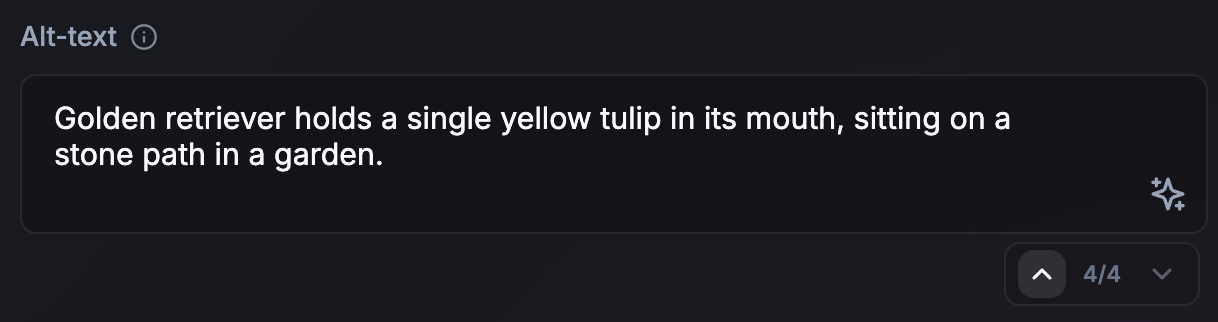
- Non-streaming for short tasks (or long async tasks): For short outputs, for example, alt-text, non-streaming can create a more polished UI. It also provides time to speculatively prepare the next AI task while the current one renders. This approach also works for longer asynchronous or background tasks. If the user is not blocked on the output to continue their journey, there is no urgent need to produce the output as it happens. Signal that the process is ongoing in the UI.
- Visual transitions for updates: When translating or rewriting text, use animations, for example, word-morphing.
Don't: Update the UI without visual cues.
Align with the user's mental model of time and work
Applies to: All APIs.
Do: Consider an artificial delay of one or two seconds if a response is nearly instant. Paradoxically, users might find results more trustworthy when they perceive a generation process that aligns with their perceived difficulty of the task. Use animations to signal that an AI process has occurred.
Don't: Surprise users with instant UI replacements.
Allow users to quickly navigate and undo AI edits
Applies to: All APIs.
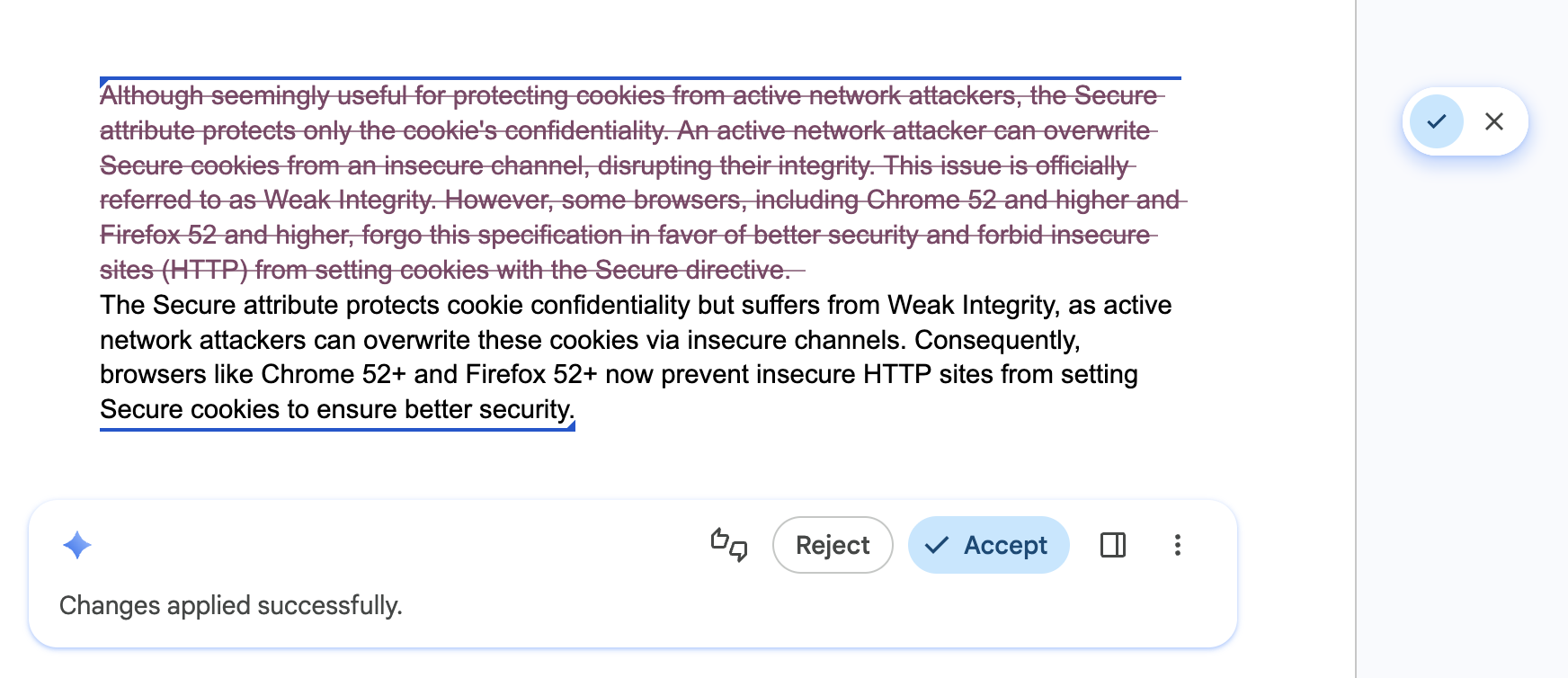
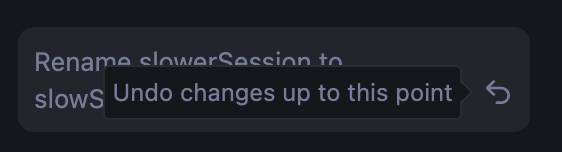
Do: Equip your UI with a stepper or navigation history that lets users explore different results confidently, and let them quickly undo AI edits. This ensures that different versions are still readily available.
Don't: Overwrite the user's previous draft, or an AI result they might have liked without a way to go back, revert, or compare versions.
Empower user control and overrides
Applies to: All APIs.
Do: Make the user the final editor of all generated content. Provide intuitive overrides so the user maintains full ownership for the final output. The APIs may produce incorrect results.
Don't: Force an AI-generated result as the only option.
Cache results for repeated tasks
Applies to: All APIs.
Do: Implement a local result cache (for example, using sessionStorage or
IndexedDB) for repeated inputs or queries. Normalize the input by trimming
whitespace and lowercasing to increase cache hits. For heavy inputs, for
example, images, generate a hash to use as a cache key. Set a conservative
time to live (TTL) for your cache (or serve cached results while updating them
in the background). Let the user trigger a fresh inference if the result is
unsatisfying.
Don't: Re-run the same inference for a repeated search query or identical data input where variability isn't desirable, for example when a user navigates back and forth between search results. This optimizes responsiveness and efficient use of local compute.
// ✅ DO: Check a local cache before running inference
async function getAiResponse(userInput, forceRefresh = false) {
  // Normalize the query to increase cache hits
  const query = userInput.trim().toLowerCase();
  const cacheKey = `ai_results_${query}`;
  const TTL_MS = 3600000; // 1 hour conservative TTL

  if (!forceRefresh) {
    const itemStr = localStorage.getItem(cacheKey);
    if (itemStr) {
      const item = JSON.parse(itemStr);
      const now = Date.now();

      // Check if the item has expired
      if (now < item.expiry) {
        // Lightweight safety check before rendering
        if (isValid(item.value)) return item.value;
      } else {
        // Delete the stale entry if the TTL has passed
        localStorage.removeItem(cacheKey);
      }
    }
  }

  // Fallback: Run inference if no valid cache exists
  const session = await LanguageModel.create();
  const response = await session.prompt(userInput);

  // Store the result for future use (with an expiration)
  const cacheData = {
    value: response,
    expiry: Date.now() + TTL_MS
  };
  localStorage.setItem(cacheKey, JSON.stringify(cacheData));

  return response;
}