


Published: April 30, 2026
借助内置 AI,您的网站或 Web 应用可以执行 AI 赋能的任务,而无需部署、管理或自行托管模型。您可能会发现,从演示到可用于生产用途的功能是一项挑战。本文档涵盖了技术和用户体验方面的注意事项,可帮助您避免陷入常见误区。
在合理的时间准备模型
适用对象:所有 API,例如 Summarizer、Translator 和 Writer。
正确做法: 在您明确确定用户打算使用 AI 功能后,立即初始化会话。例如,当用户进入相关的 AI 工具界面、将鼠标悬停在 AI 工作区上或与该功能周围的界面互动时。预热会话可让模型在用户设置任务时在后台静默加载到内存中,从而避免不必要的冷启动延迟。 尝试抢先一步,在开始呈现当前结果后立即启动下一个最有可能的 AI 任务,例如,如果该功能旨在供用户迭代使用。
错误做法: 除非必要,否则不要等待用户点击“生成”来初始化会话。这会导致冷启动延迟,因为模型必须首次加载到内存中并准备其执行流水线。
在创建期间设置初始提示
适用对象:Prompt API。
正确做法: 在会话初始化期间提供系统说明,以提高第一个提示的速度。
错误做法: 从空会话开始,并将系统说明作为
第一个 prompt() 调用的一部分发送。这会增加延迟时间,因为它会强制模型在最后一刻处理这些说明。
// ✅ DO: Create the session as early as possible (tip on warming up the model early) and use initialPrompts for system instructions in the create call
const session = await LanguageModel.create({
  initialPrompts: [
    { role: 'system', content: 'You are a helpful assistant specialized in code reviews.' }
  ]
});

// A few moments later, when the user triggers the AI feature
const review = await session.prompt(`Review the following code:\n\n${code}`);

// ❌ DON'T: Send instructions using prompt() after creation
// const slowerSession = await LanguageModel.create();
// await slowerSession.prompt(`You are a helpful assistant specialized in code reviews.\n\nReview the following code:\n\n${code}`); // Higher latency
为重复性任务克隆会话
适用对象:Prompt API。
对于 Prompt API,每个会话都会 跟踪对话的 上下文, 并考虑所有之前的互动。由于克隆会继承父会话中的所有内容,包括初始提示和克隆之前的所有互动历史记录,因此请合理安排使用方式,以便仅继承所需的内容。
正确做法:
- 创建基本会话:如需高效处理不相关的任务,请创建一个仅包含系统说明且不包含任何先前对话上下文的基本会话。
- 克隆基准:对该基本会话使用
clone()来处理新任务,以节省重新解析系统说明的开销。这样,您就可以创建并行对话,或将任务重置为基准。
错误做法:
- 不要为不相关的任务重复使用同一会话,并避免克隆任何已包含不必要互动历史记录的会话。这两种模式都可能导致不相关的先前上下文干扰当前任务。
- 不要使用相同的系统说明重复调用
create()。 请改用克隆模式来优化性能。
// ✅ DO: Create a baseline session and clone it for each new task
const baseSession = await LanguageModel.create({
  initialPrompts: [{
    role: 'system',
    content: 'You are a technical editor...',
  }],
});

// Clone the base session once for the first task
const task1 = await baseSession.clone();
const response1 = await task1.prompt("Review this first draft...");
// ... Repeat the cloning pattern for subsequent independent tasks
// Each task starts fresh from the baseline system instructions

// ❌ DON'T:
// Bad performance pattern: repeated create() calls for identical tasks.
// This forces the model to re-parse instructions every time, increasing latency.
// const sessionA = await LanguageModel.create({ initialPrompts: [...] });
// await sessionA.prompt("Task 1...");
// const sessionB = await LanguageModel.create({ initialPrompts: [...] });
// await sessionB.prompt("Task 2...");
// Bad quality pattern: reusing the same session for unrelated tasks.
// const session = await LanguageModel.create();
// await session.prompt("Analyze this financial report...");
// Unrelated task in the same session:
// await session.prompt("Now write a children's story...");
销毁未使用的会话
适用对象:所有 API。
正确做法: 对不再需要的会话显式调用 destroy(),以便在不再使用某项功能时释放内存。如果您使用克隆模式,请保留基本会话并销毁不再需要的克隆。
错误做法: 保持多个大型会话处于活跃状态。每个会话都会消耗内存,这会造成不必要的资源使用,并可能成为问题。会话将由垃圾回收器自然清理,但调用 destroy() 可以更快地释放内存。
// ✅ DO: Use the clone and destroy it immediately after
const clone = await baseSession.clone();
const response = await clone.prompt("Quick task...");
// Free memory right away: destry the clone, keep the baseSession
clone.destroy();
安全高效地呈现流式响应
适用对象:所有支持流式传输的 API(Prompt、Summarizer、Writer、Rewriter 和 Translator)。
正确做法: 将所有 LLM 输出视为不受信任的内容。对完整的组合输出(而不仅仅是块)进行清理,因为恶意代码可能会跨更新拆分。 在呈现之前,请使用 Sanitizer API(如果 支持)。为避免性能下降,请使用流式 Markdown 解析器 ,例如 streaming-markdown。
错误做法: 在每次块更新时直接设置 innerHTML。这很慢,尤其是在使用语法突出显示等复杂格式时,并且容易受到注入攻击。
import * as smd from "streaming-markdown";
// Set up virtual buffer and Sanitizer API
const sanitizer = new Sanitizer({
  allowElements: ['figure', 'figcaption', 'p', 'br', 'strong', 'em', 'img', 'a'],
  allowAttributes: {
    'loading': ['img'], 'decoding': ['img'], 'src': ['img'], 'href': ['a']
  }
});

// Create an off-screen fragment so the parser doesn't cause flicker
// or trigger XSS in the live DOM during the building process.
const buffer = new DocumentFragment();
const parser = smd.parser_new(buffer);

// Use sanitizer as a gatekeeper / cleaner function so we can combine it with the streaming Markdown parser
function syncSanitized(target, sourceFragment) {
  // .sanitize() returns a fresh, clean DocumentFragment
  const cleanFragment = sanitizer.sanitize(sourceFragment);
  // replaceChildren is the modern high-performance way to swap DOM content
  target.replaceChildren(cleanFragment);
}

// Streaming Logic
// `chunks` keeps track of the raw string (useful for logs/debug)
chunks += chunk;
// Let the parser build the DOM incrementally in the buffer.
// This is high-performance because the buffer is not live
smd.parser_write(parser, chunk);
// Use the Sanitizer API to port the content safely to the container.
syncSanitized(container, buffer);
优化输入以提高速度
适用对象:所有 API。
正确做法: 仅将严格需要的内容传递给模型。剥离与当前任务无关的所有内容。对于大型数据集,请提供简短的概览和少量相关项。
错误做法: 向 API 发送原始的未处理文本、不必要的元数据、HTML 标记或大型 未过滤列表。延迟时间会随着输入大小的增加而显著增加,这可能会导致 AI 功能在许多设备上看起来已损坏。
// ✅ DO: Send only relevant text
const cleanText = document.querySelector('#article').innerText;
const summary = await Summarizer.summarize(cleanText);

// ❌ DON'T: Send the entire DOM structure
// const dirtyText = document.querySelector('#article').innerHTML;
使用结构化输出以获得可预测的结果
适用对象:Prompt API。
正确做法: 当您需要模型以特定格式返回数据时,请通过提供 responseConstraint 字段来提供 JSON 架构,从而使用
结构化
输出
。这可确保输出是可预测的,并避免您需要复杂的后处理或手动解析。
错误做法: 仅依赖自然语言说明(例如“仅输出 JSON”) 。模型可能会包含对话填充内容,从而破坏您的解析器。
// ✅ DO: Use a JSON Schema for predictable results
const schema = {
  type: "object",
  properties: {
    isTopicCats: { type: "boolean" }
  }
};

const result = await session.prompt(`Is this post about cats?\n\n${post}`, {
  responseConstraint: schema,
});
console.log(JSON.parse(result).isTopicCats);
将生成与长度限制分离
适用对象:Prompt API,因为它是唯一支持结构化输出 架构的 API。
正确做法: 让模型自然生成其响应,然后使用客户端逻辑截断文本以适应您的界面。
错误做法: 使用
结构化输出架构强制执行严格的字符限制,例如 maxLength: 125。当模型的响应超出您设置的限制时,模型可能会切换到高密度令牌(例如外语或表情符号)来压缩含义,从而导致输出无意义。
/*  DO: Handle overflow using CSS */
.result {
  overflow: hidden;
  white-space: nowrap;
  text-overflow: ellipsis; /* Displays '…' */
}
// ❌ DON'T: Force length in the prompt
const result = await session.prompt("Write a bio in exactly 50 characters.");
让用户知情
适用对象:所有 API。
正确做法: 根据任务的复杂性和预期时长,使用动画、视觉提示和进度指示器让用户知情。最佳方法取决于您的使用场景和 API 输出的预期长度。例如:
- 流式传输长内容:对于摘要或聊天,流式传输默认会创建每个令牌的打字机效果。这可以让人感觉自然,并提供即时反馈。
- 非流式传输短任务(或长异步任务):对于短输出(例如替换文本),非流式传输可以创建更精美的界面。它还可以在当前任务呈现时,为推测性地准备下一个 AI 任务提供时间。这种方法也适用于较长的异步或后台任务。如果用户没有因输出而受阻,无法继续其流程,则无需在输出发生时立即生成输出。在界面中发出流程正在进行的信号。
- 更新的视觉过渡效果:在翻译或重写文本时,使用动画,例如字词变形。
错误做法: 在没有视觉提示的情况下更新界面。
与用户的时间和工作心理模型保持一致
适用对象:所有 API。
正确做法: 如果响应几乎是即时的,请考虑人为延迟一到两秒。矛盾的是,当用户感知到的生成过程与他们感知到的任务难度相符时,他们可能会觉得结果更值得信赖。使用动画来表示已发生 AI 流程。
错误做法: 让用户猝不及防地看到界面即时替换。
允许用户快速浏览和撤消 AI 编辑
适用对象:所有 API。
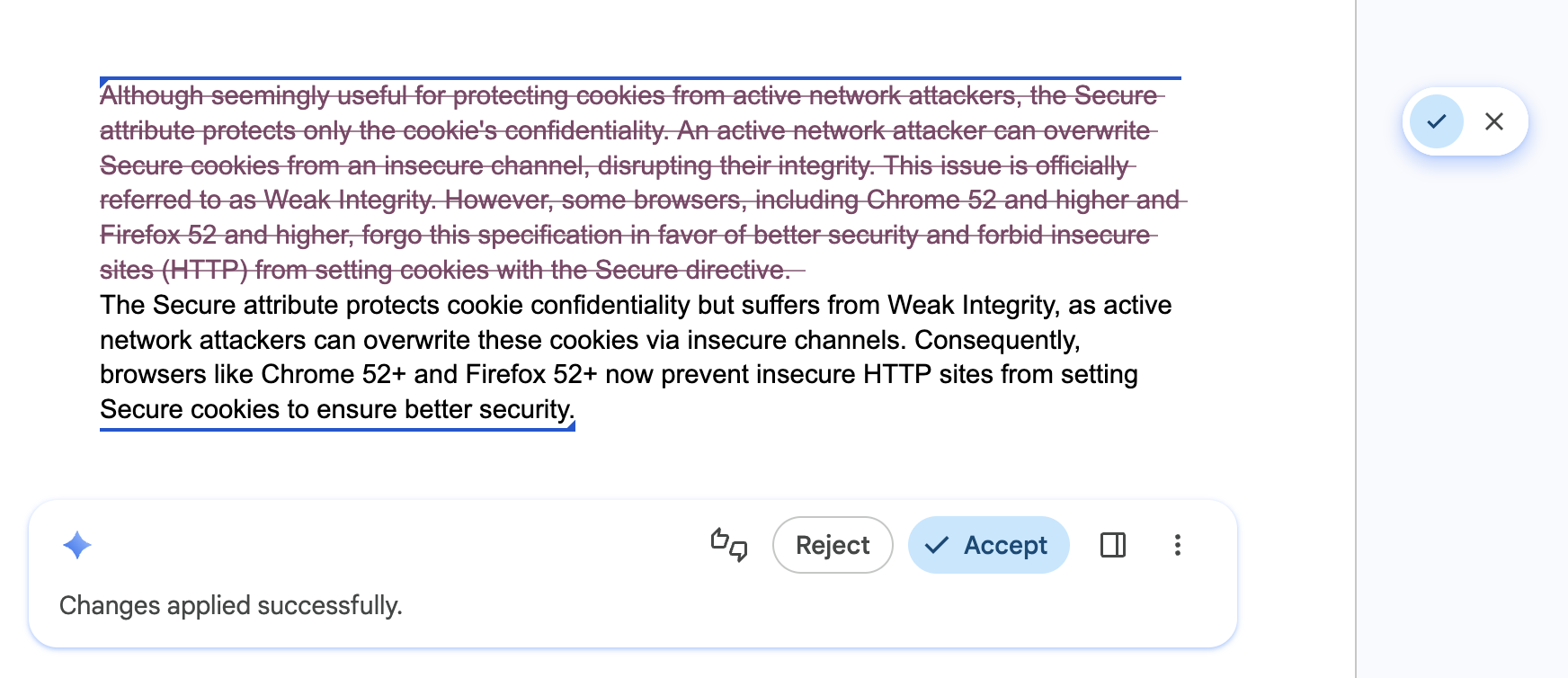
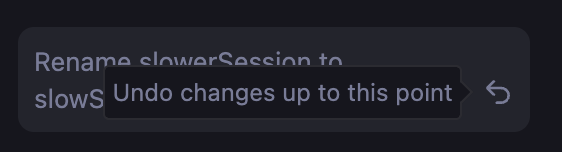
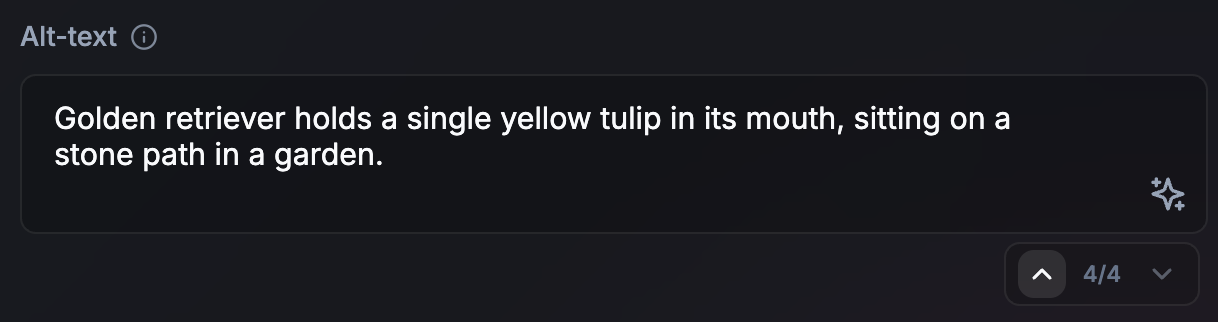
正确做法: 为界面配备步进器或浏览历史记录,让用户能够自信地探索不同的结果,并让他们快速撤消 AI 编辑。这可确保不同的版本仍然随时可用。
错误做法: 覆盖用户之前的草稿,或他们可能 喜欢的 AI 结果,而无法返回、恢复或比较版本。
赋予用户控制权和替换权
适用对象:所有 API。
正确做法: 让用户成为所有生成内容的最终编辑者。提供直观的替换,以便用户保留对最终输出的完全所有权。API 可能会生成不正确的结果。
错误做法: 强制将 AI 生成的结果作为唯一选项。
缓存重复性任务的结果
适用对象:所有 API。
正确做法: 为重复的输入或查询实现本地结果缓存(例如,使用 sessionStorage 或 IndexedDB)。通过去除空格和转换为小写来规范化输入,以增加缓存命中率。对于大量输入(例如图片),生成哈希以用作缓存键。为缓存设置保守的存留时间 (TTL)(或在后台更新缓存结果时提供缓存结果)。如果结果不令人满意,允许用户触发新的推断。
错误做法: 为重复的搜索查询或相同的数据输入重新运行相同的推理,而不需要可变性,例如当用户在搜索结果之间来回浏览时。这可以优化响应能力并高效使用本地计算资源。
// ✅ DO: Check a local cache before running inference
async function getAiResponse(userInput, forceRefresh = false) {
  // Normalize the query to increase cache hits
  const query = userInput.trim().toLowerCase();
  const cacheKey = `ai_results_${query}`;
  const TTL_MS = 3600000; // 1 hour conservative TTL

  if (!forceRefresh) {
    const itemStr = localStorage.getItem(cacheKey);
    if (itemStr) {
      const item = JSON.parse(itemStr);
      const now = Date.now();

      // Check if the item has expired
      if (now < item.expiry) {
        // Lightweight safety check before rendering
        if (isValid(item.value)) return item.value;
      } else {
        // Delete the stale entry if the TTL has passed
        localStorage.removeItem(cacheKey);
      }
    }
  }

  // Fallback: Run inference if no valid cache exists
  const session = await LanguageModel.create();
  const response = await session.prompt(userInput);

  // Store the result for future use (with an expiration)
  const cacheData = {
    value: response,
    expiry: Date.now() + TTL_MS
  };
  localStorage.setItem(cacheKey, JSON.stringify(cacheData));

  return response;
}