

Published: February 19, 2026
This week, we're excited to start rolling out a new private enterprise publishing option on the Chrome Web Store. Previously, enterprise developers could only publish extensions privately to their own enterprise. With the new option, developers will be able to deploy their extensions privately to external organizations that approve them, all from within the store.
Enable the new option
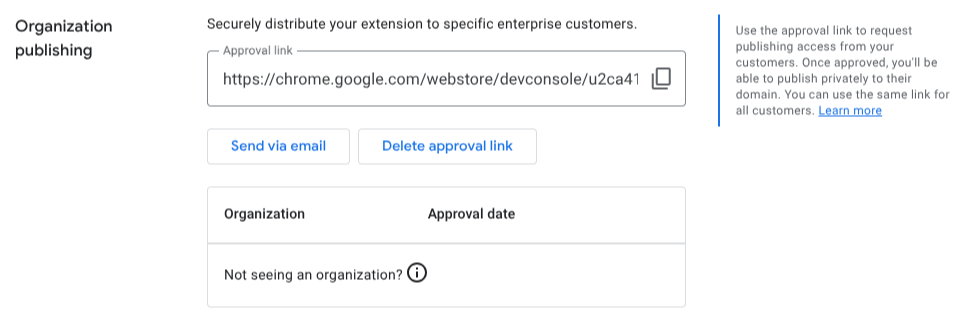
On the Account page, developers will now see an "Organization publishing" section. Click "Generate approval link" to enable the new option.

You will be given an approval link that can be used by any organization administrator to approve you. Send the link to your administrator contact using your preferred communication channel.
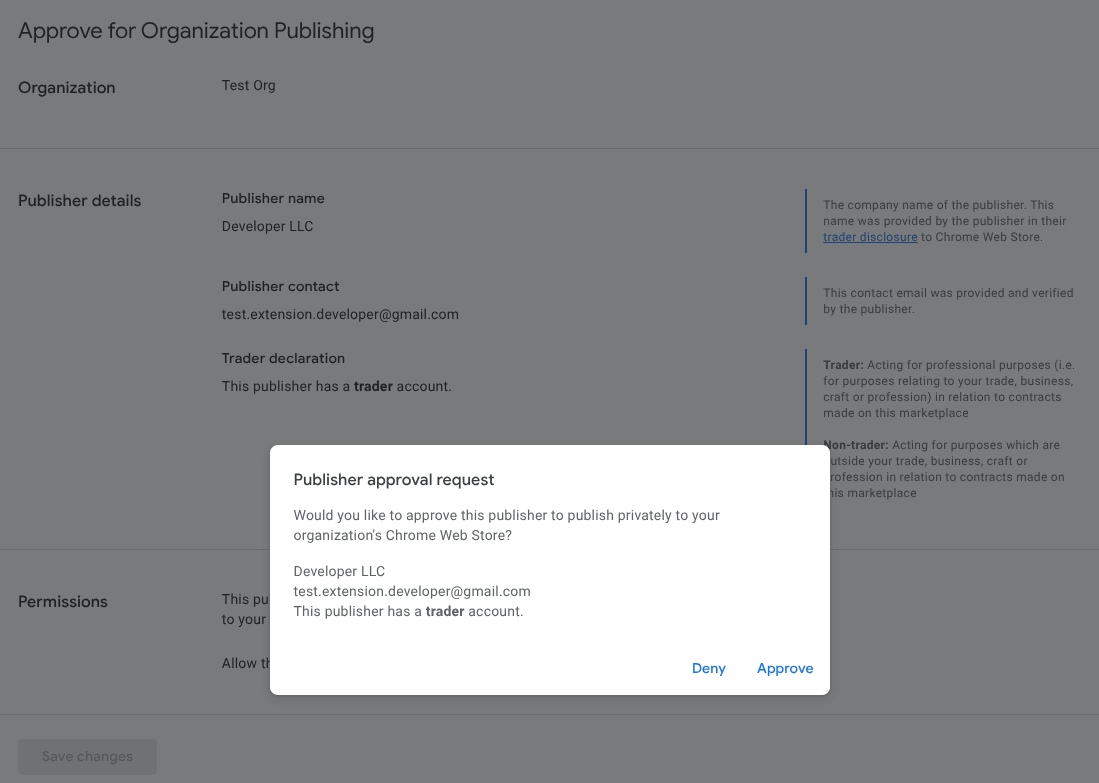
Get approved by an organization administrator
When visiting your approval link, your administrator contact will be shown various details about your publisher account. This includes your publisher's name, contact email, and trader declaration. Verifying your contact email, completing trader verification, and gaining the publisher badge will ensure your approval page has as much information as possible.
Publish privately
Once an administrator has approved you, you can start publishing privately to their organization. The new publishing option can be selected from the Distribution page.
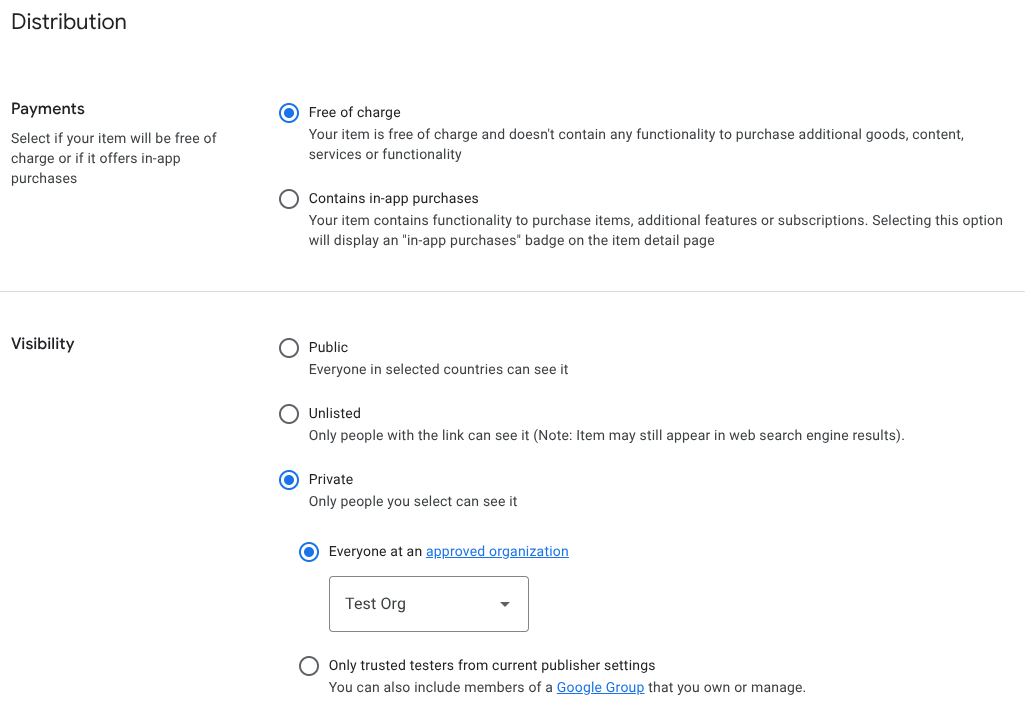
After selecting the new option, submit your item as you normally would. The item will go through the standard review process. Once published, the item will only be visible to your selected organization.
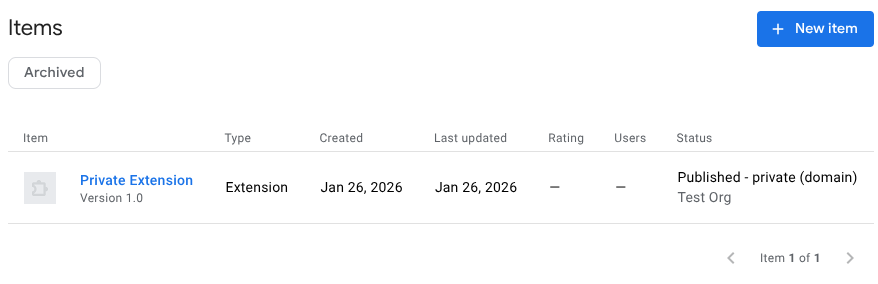
Note that individual extensions are still managed by administrators using existing item-level controls. After publishing, ensure that your administrator contact has appropriately set these controls for your extension.
Share feedback
More information about this feature can be found in our enterprise docs. As always, we'd love to hear what you think. Share your feedback in the chromium-extensions mailing list.